



Sky Sport streaming is a solid 20–60 seconds behind live radio. So the ACC is out here calling tries before you’ve even seen the linebreak. Basically unwatchable. I got sick of waiting for Sky to sort their streaming out, so I sorted it myself.
This extension holds the iHeart Radio stream back so the ACC lines up with what’s actually on your screen. You’re welcome.
How it works
The extension doesn’t touch your stream quality or add any delays to your video. It simply holds the iHeart Radio audio back by the right amount so commentary lines up with what’s on screen. Pause, let time pass, play. Dead simple.
Step by step
-
1
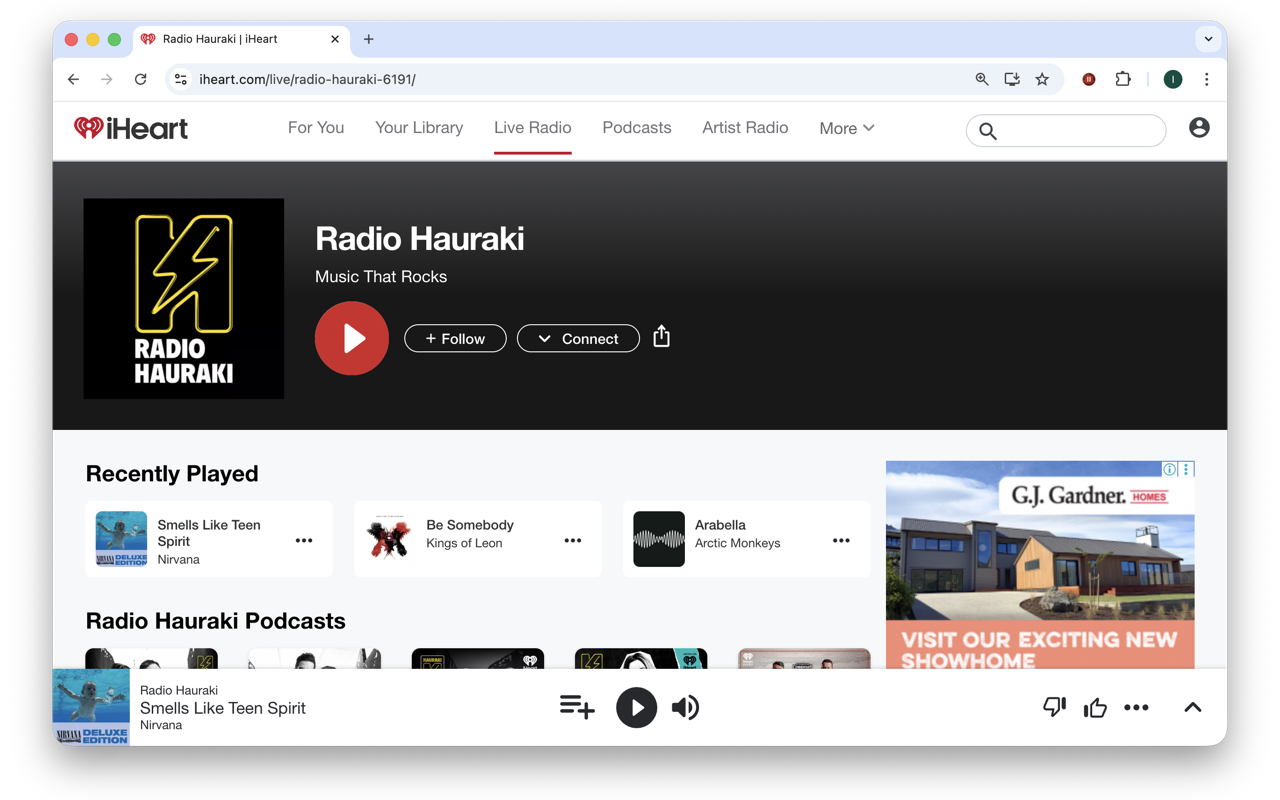
Open the ACC on iHeart Radio and hit play
Head to the ACC live stream on iHeart and get the audio going.
-
2
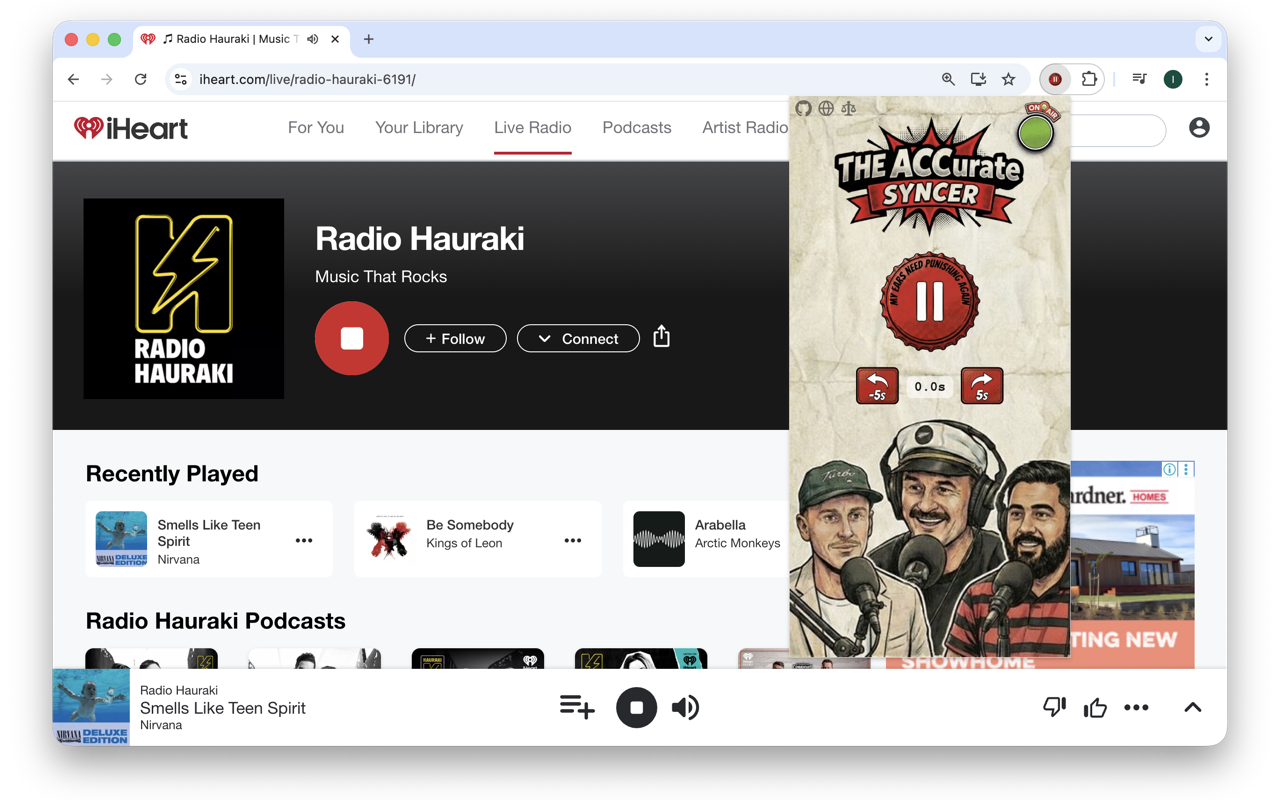
Click the extension icon
The syncer popup opens. If the stream is live, you’ll see the On Air indicator light up.
-
3
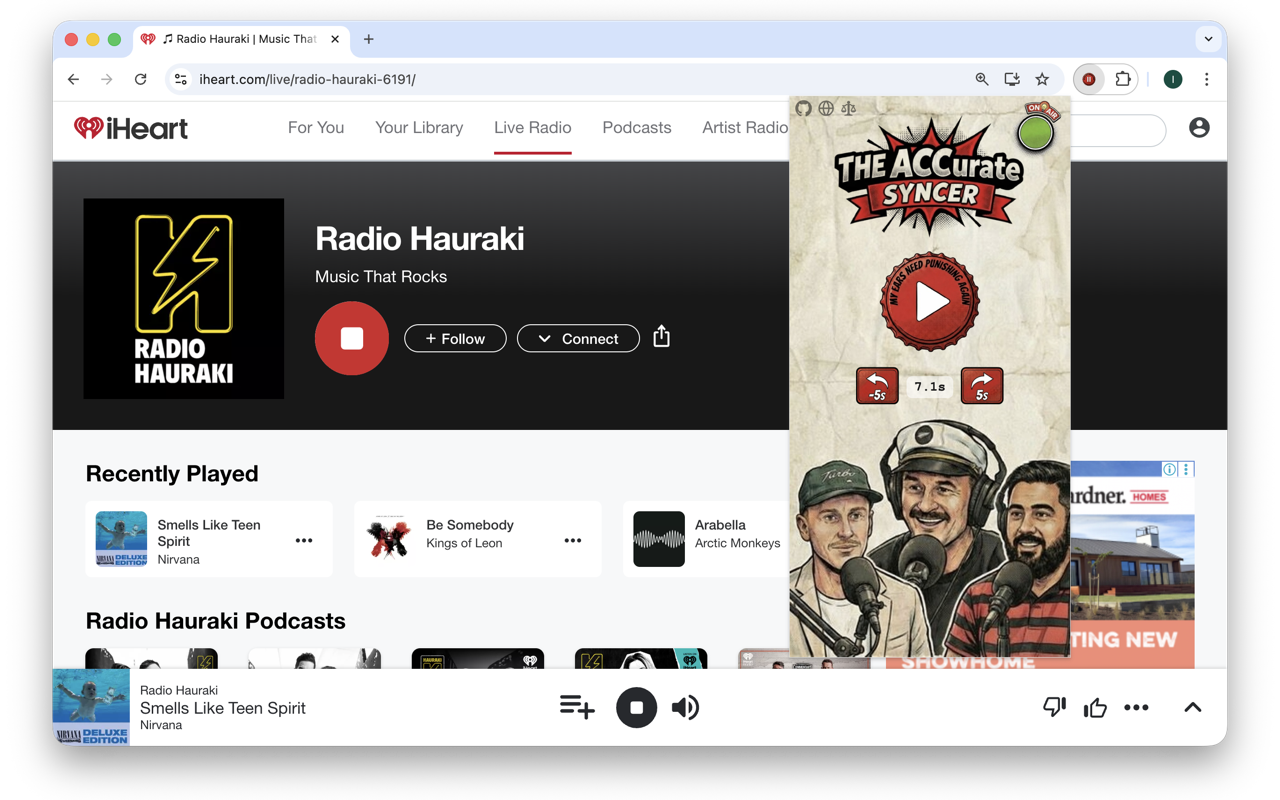
Hit pause and wait
The audio mutes and the timer starts counting. Wait until the commentary matches your TV picture — usually 20–40 seconds.
-
4
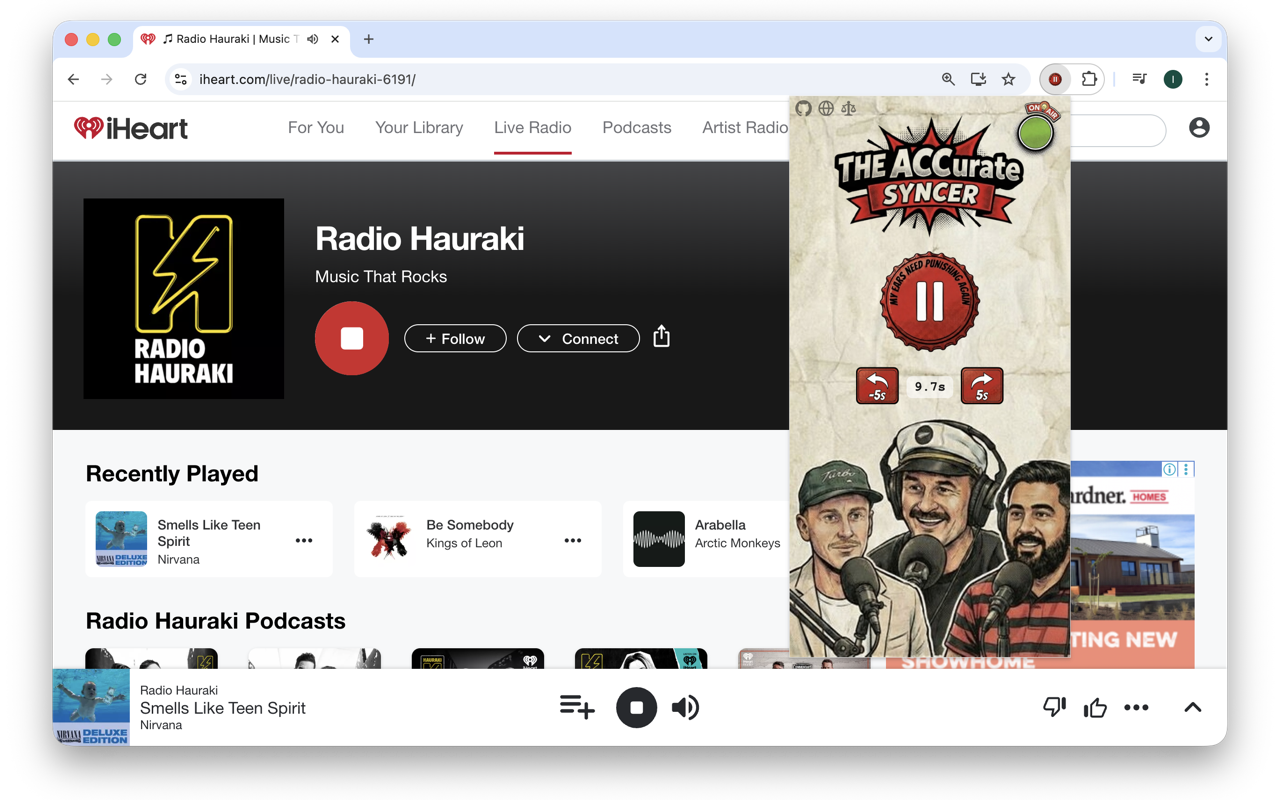
Hit play — synced
The stream rewinds by exactly how long you waited. Fine-tune with the ±5s buttons if needed.
-
5
Works with any iHeart Radio show
Built for the ACC, but this works with any live stream on iHeart Radio. Sync whatever you want.